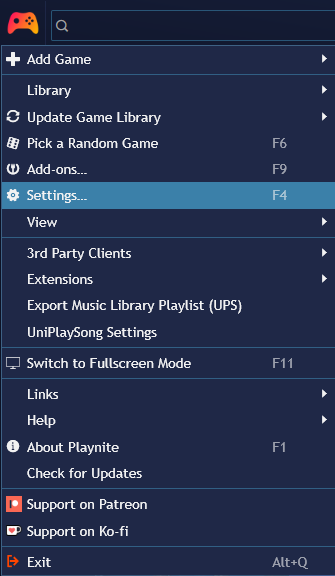
In Playnite Desktop, open Menu > Settings (F4). Follow the recommended X-Nite settings in the next screenshots.
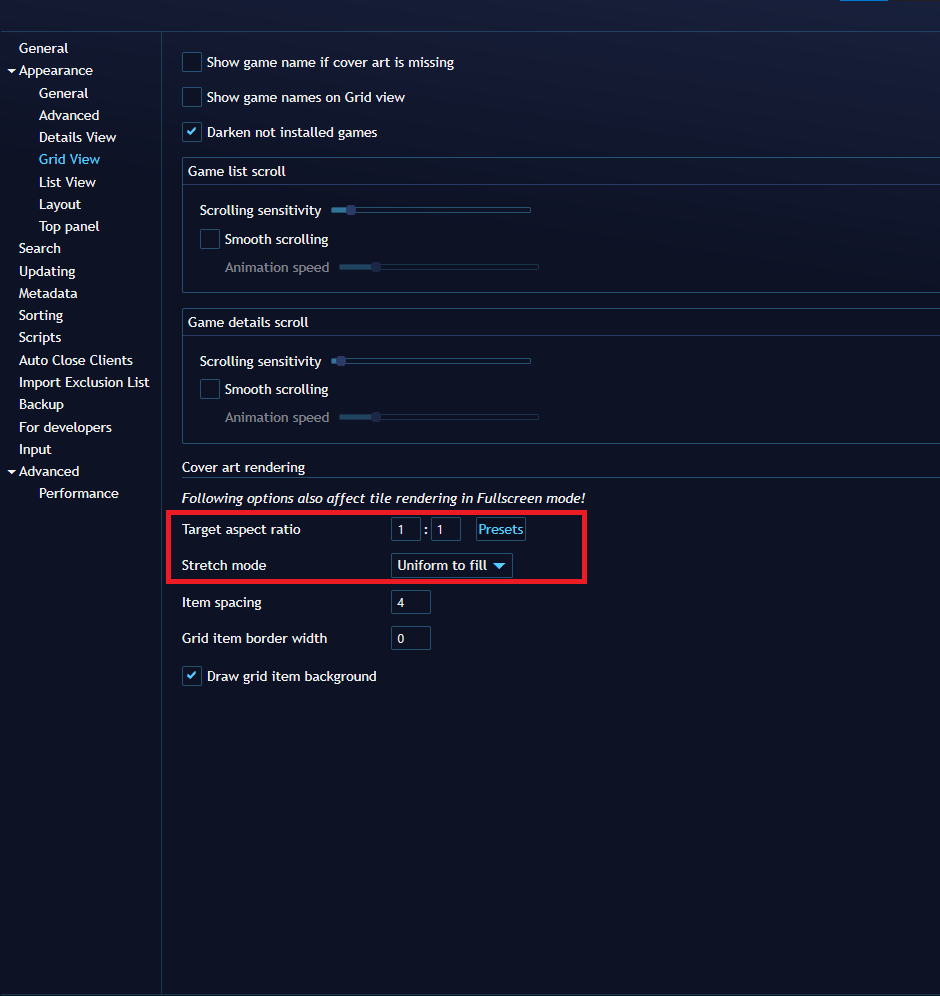
Under Appearance > Grid View, set Target aspect ratio: 1:1 and Stretch mode: Uniform to fill. Covers become square and fill the cards. These options also affect Fullscreen mode.
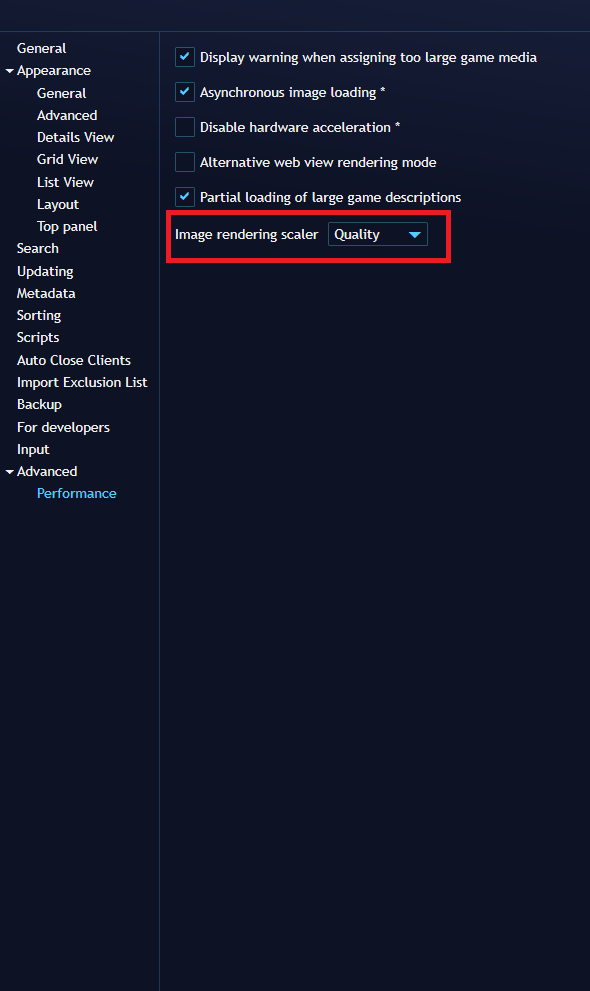
Under Advanced > Performance, choose Image rendering scaler: Quality and save. This is the recommended visual setting; consult the performance guide if needed.