
Set up trailer tools
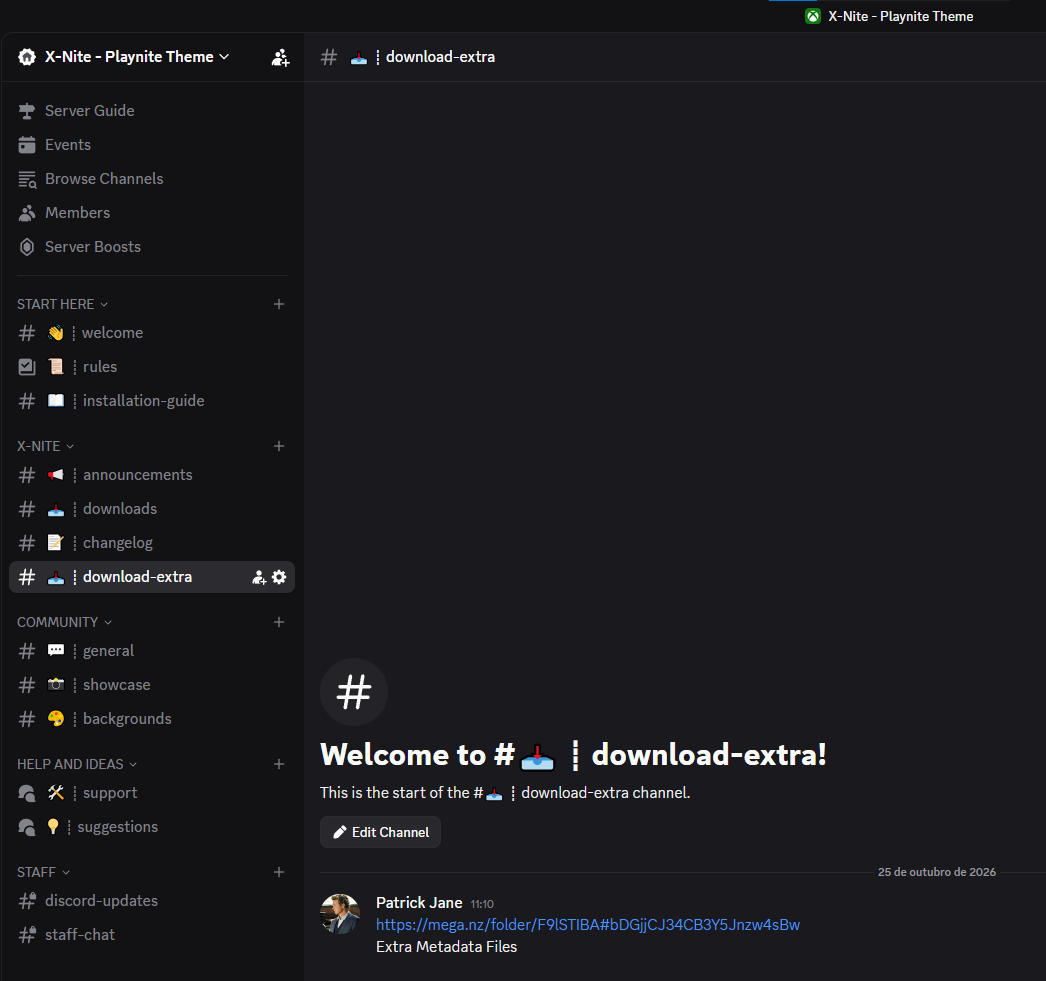
Obtain the tools from the download-extra community channel shown. The package contains the utilities used by Extra Metadata Loader for trailers.
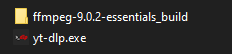
Extract FFmpeg and keep yt-dlp.exe in a permanent folder. FFmpeg’s bin folder contains ffmpeg.exe and ffprobe.exe. Do not select the archive itself.
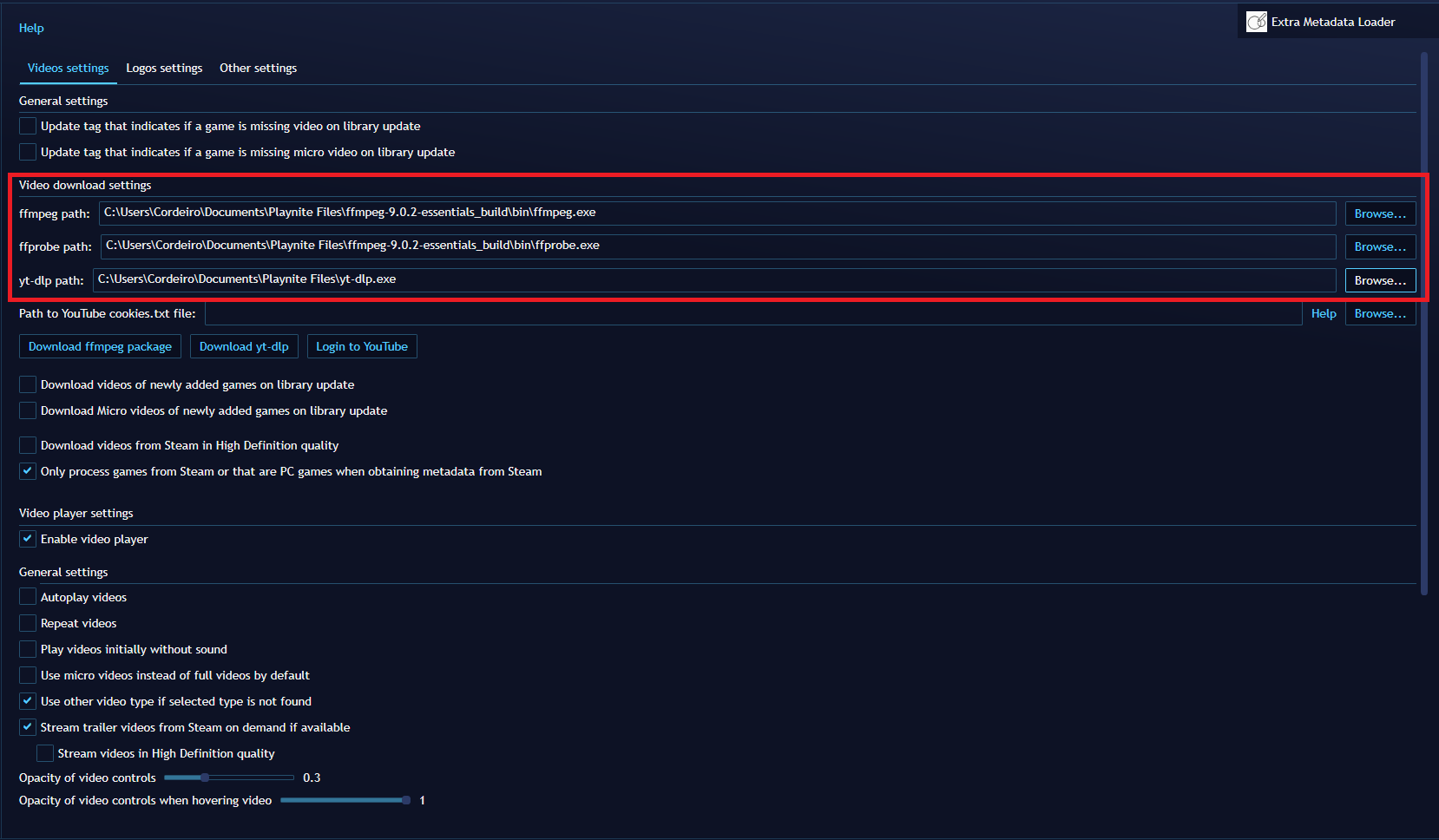
Open Extra Metadata Loader > Videos settings. Use Browse to select your ffmpeg.exe, ffprobe.exe and yt-dlp.exe files. The pictured paths are examples. Keep Enable video player on and Autoplay videos off to start trailers paused. Save and test a video.
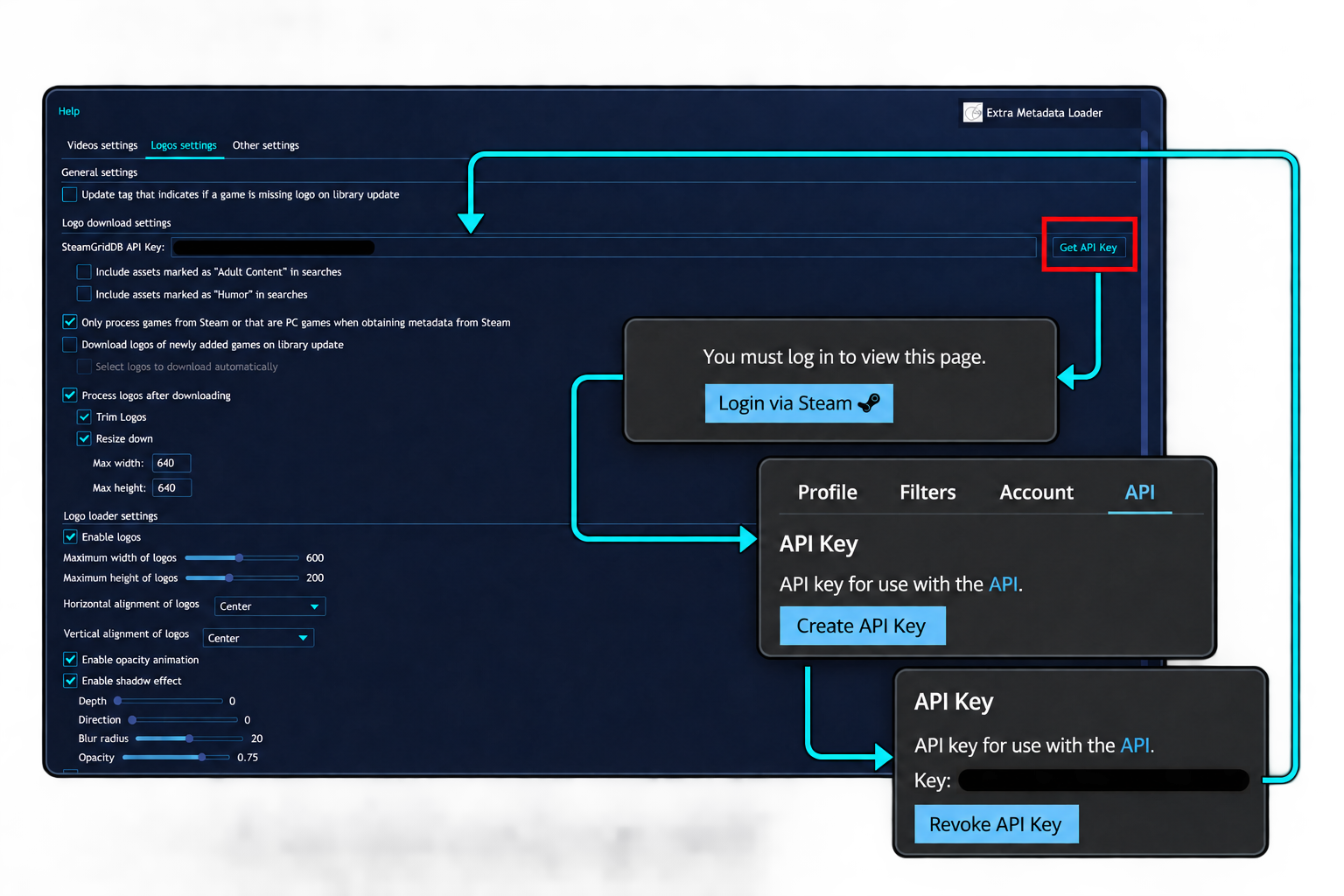
Under Logos settings, enable Enable logos. Follow Get API Key > Login via Steam > API > Create API Key, then paste your SteamGridDB key. The artwork provider can use the same key; it is not a Steam Web API key. Save and test a game logo.