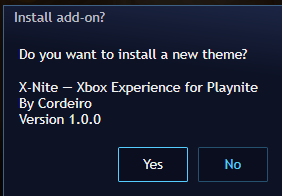
Open the .pthm file. The dialog should name X-Nite — Xbox Experience for Playnite and ask to install a theme. Choose Yes. This visual package complements the extension installed in the previous step.
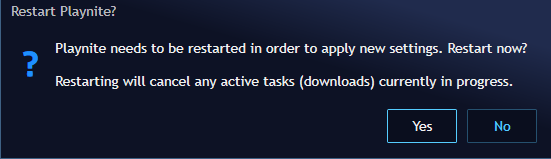
When requested, choose Yes to restart Playnite and load the installed theme. Wait for active downloads before confirming. Installation does not select the active theme; that is the next step.