Your whole library, together
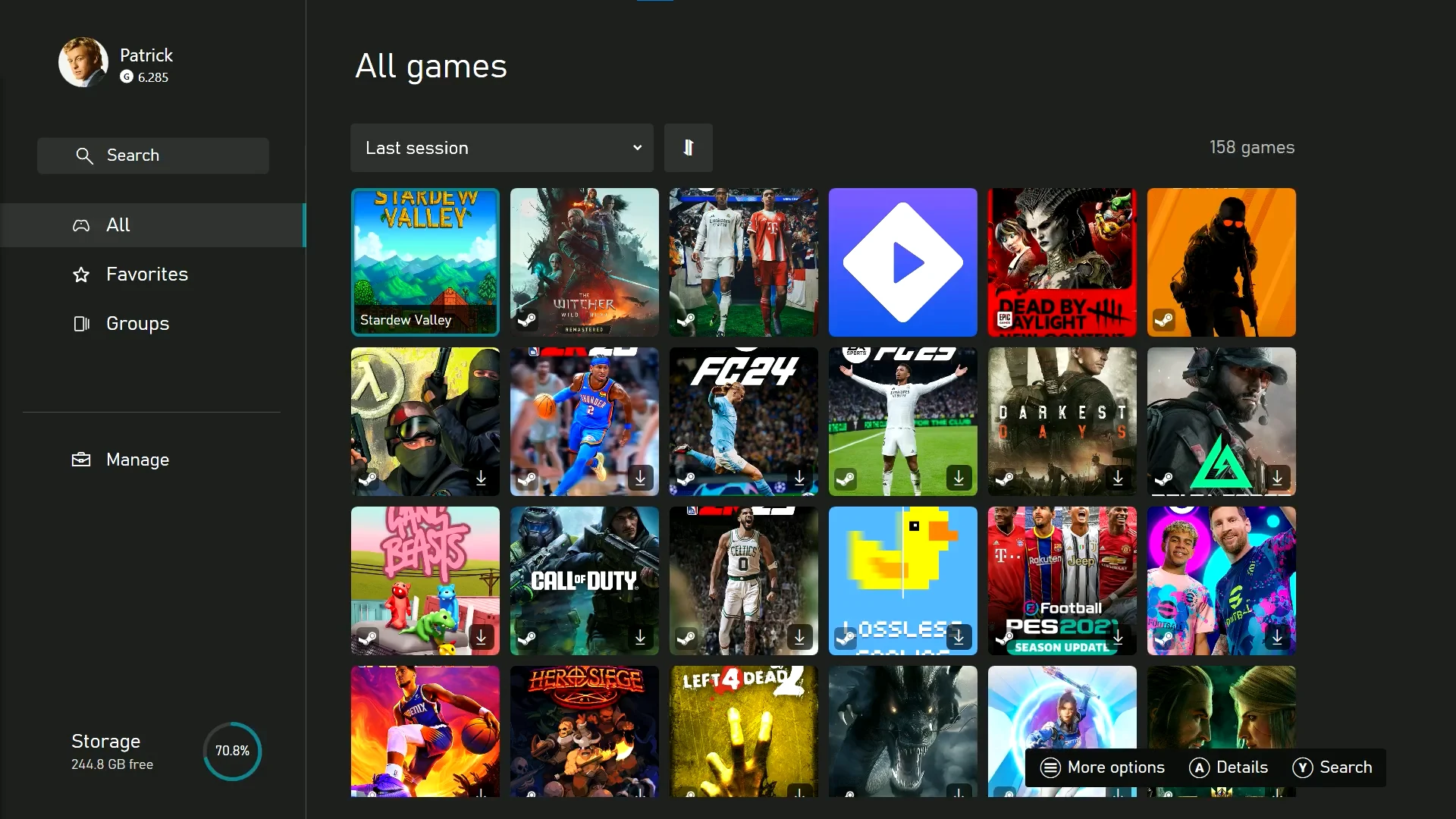
Browse All games and focus a cover to see the available actions. Open Details to inspect the game or More options to manage it. The controls at the top let you change the sorting.
Find your next game
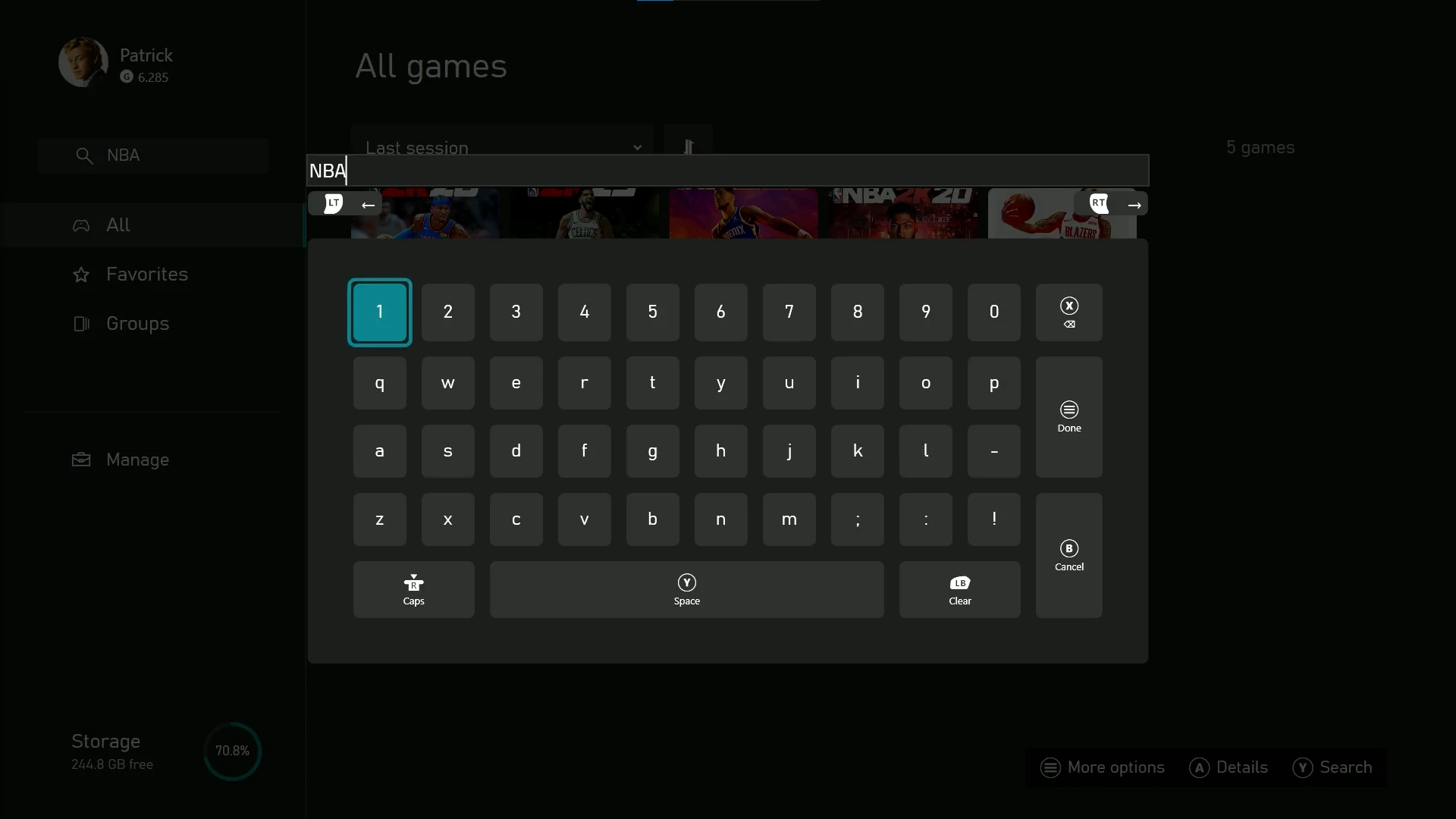
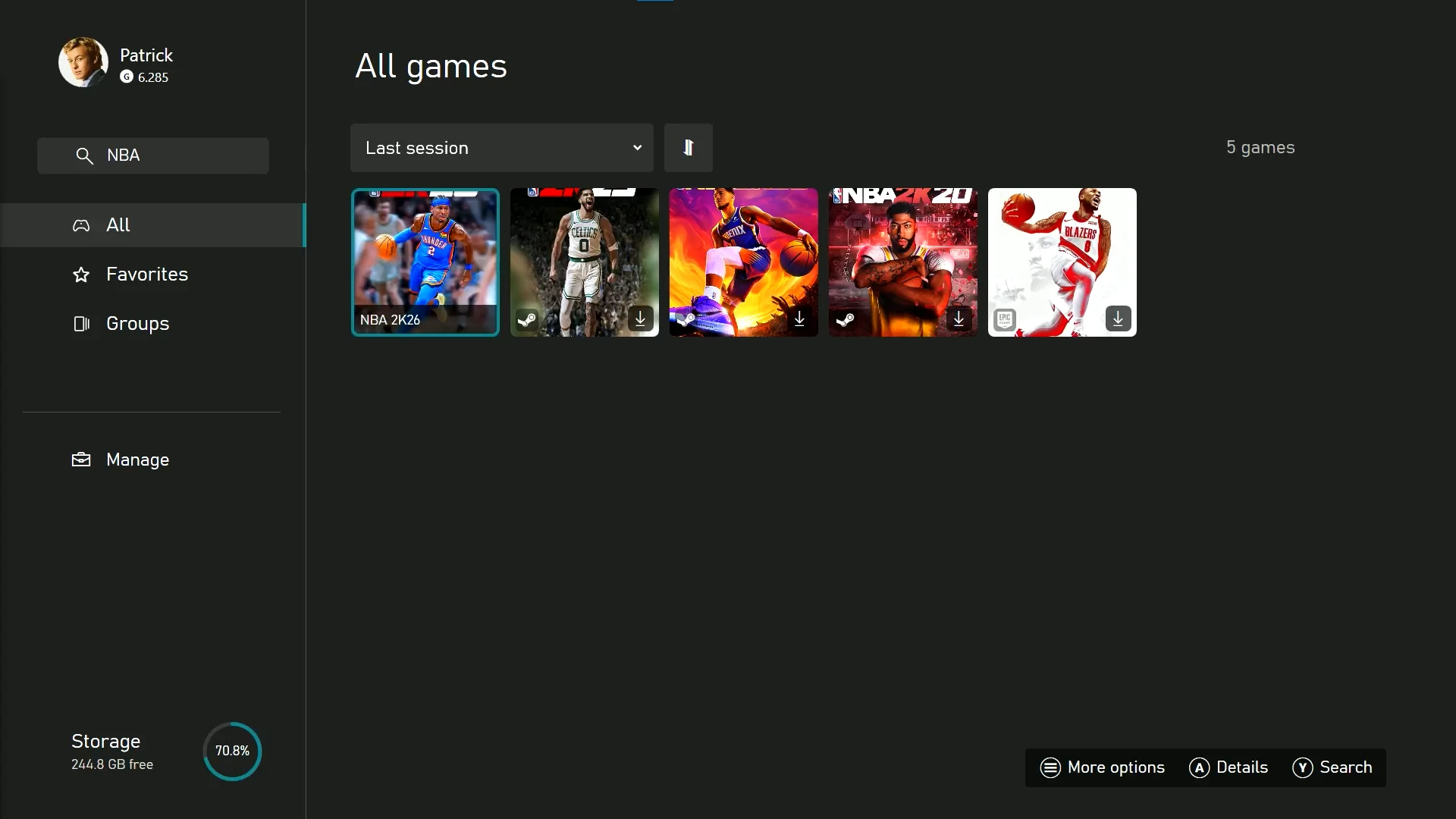
Open Search, enter part of a title and confirm. The grid shows matching games; clear the search to browse the full list again.
Give your collection a name
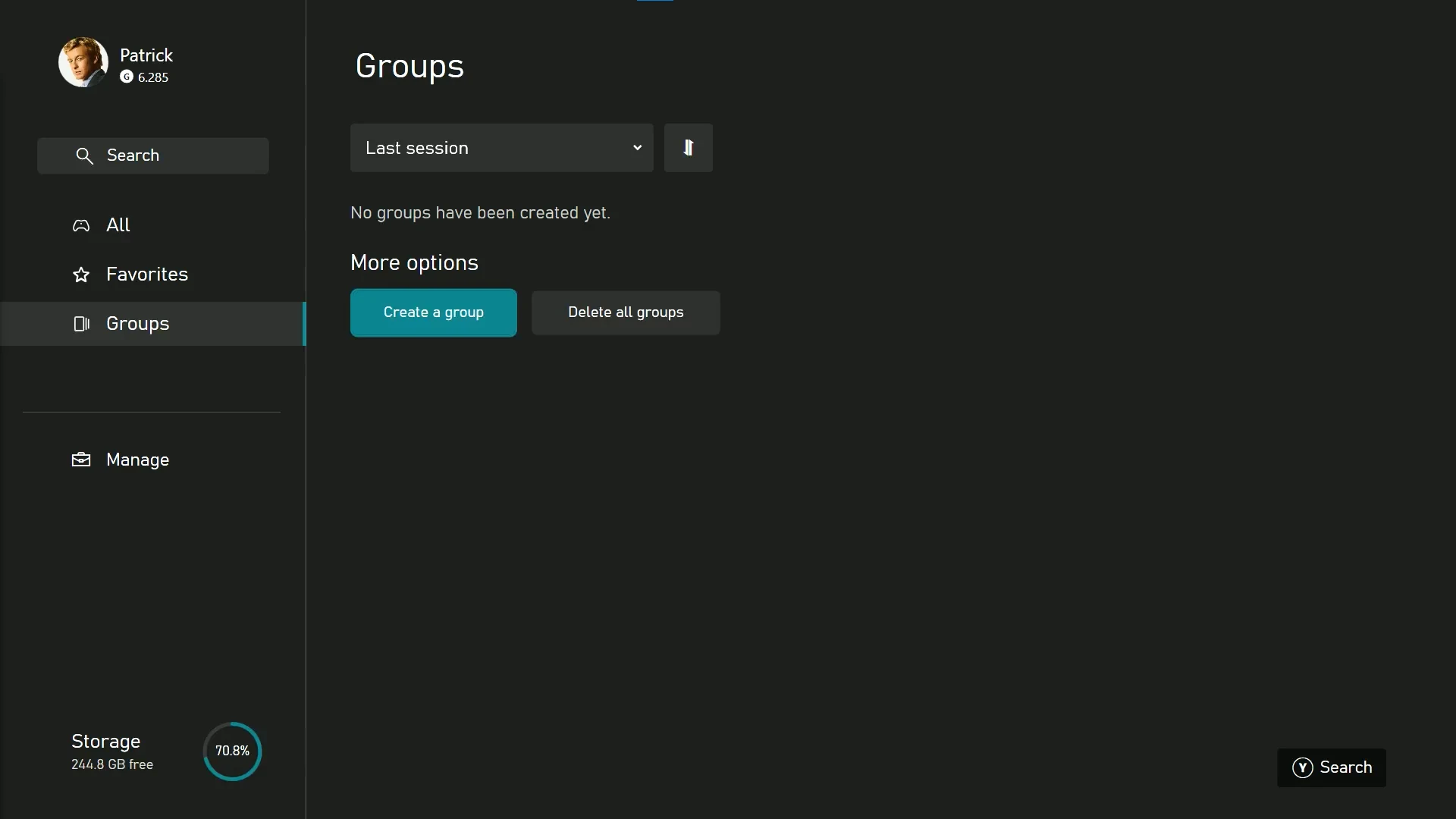
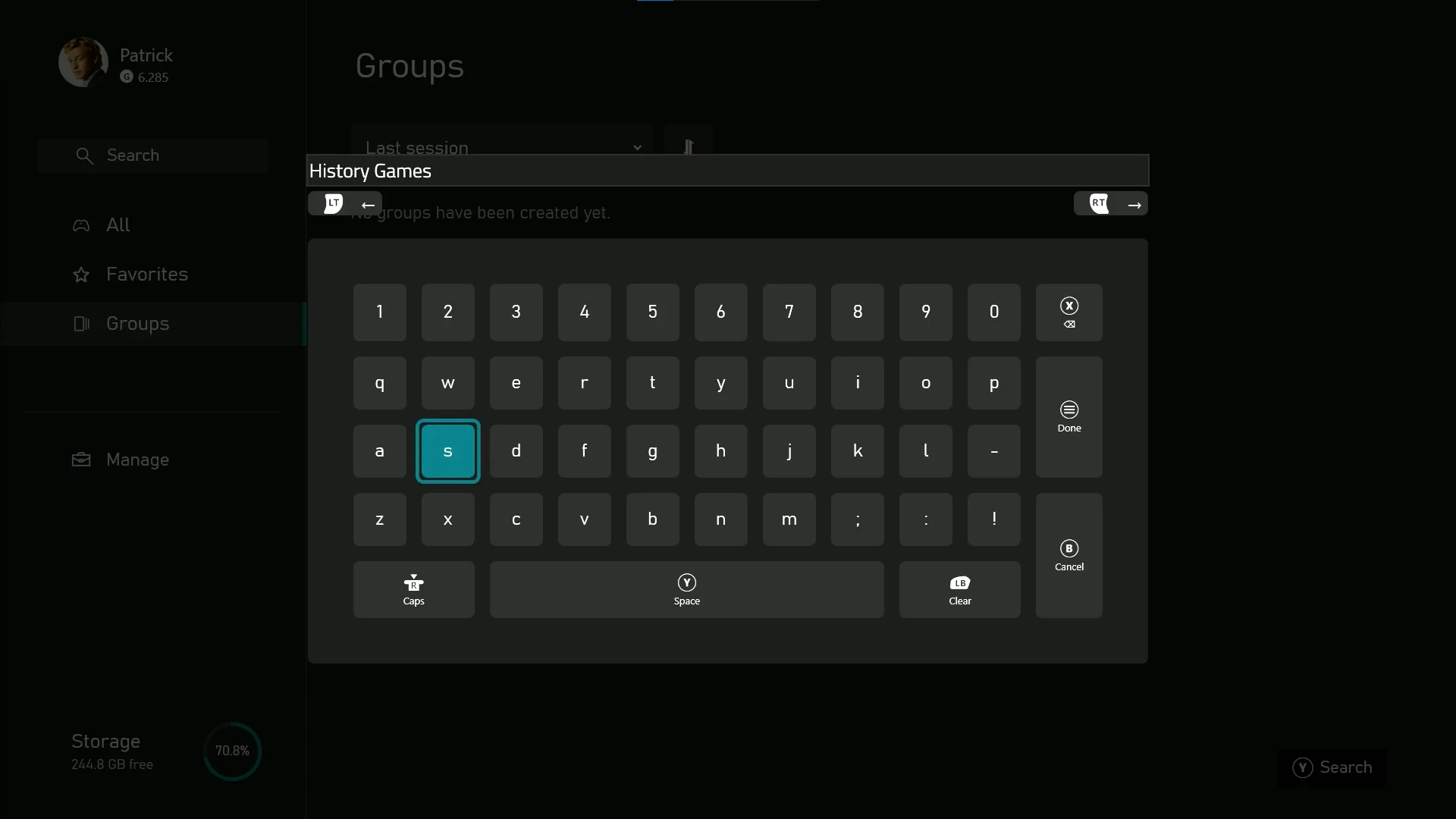
Open Groups, choose Create a group and enter a name. Build a collection around a genre, a series or whatever you want to play next.
Choose what belongs
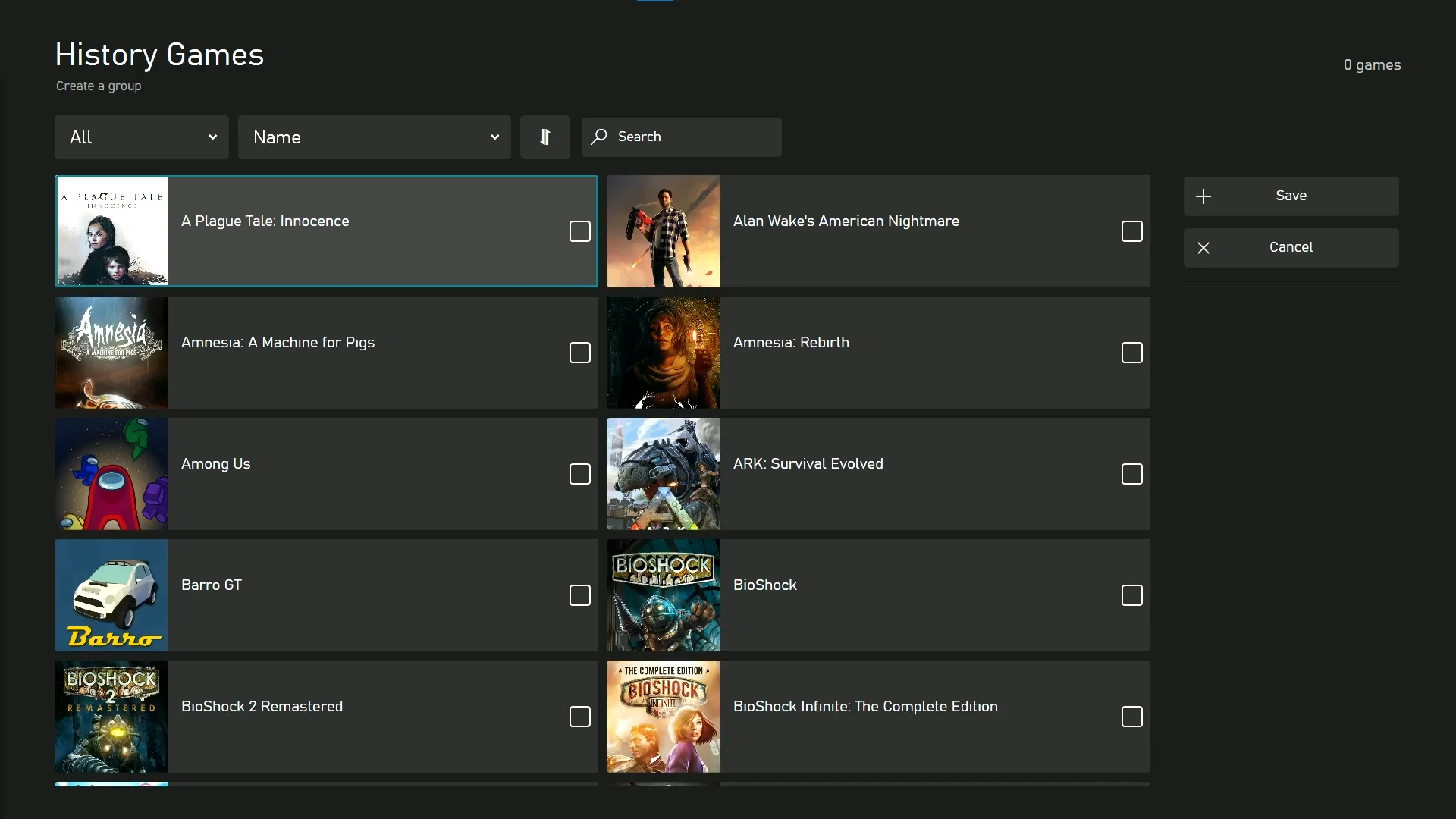
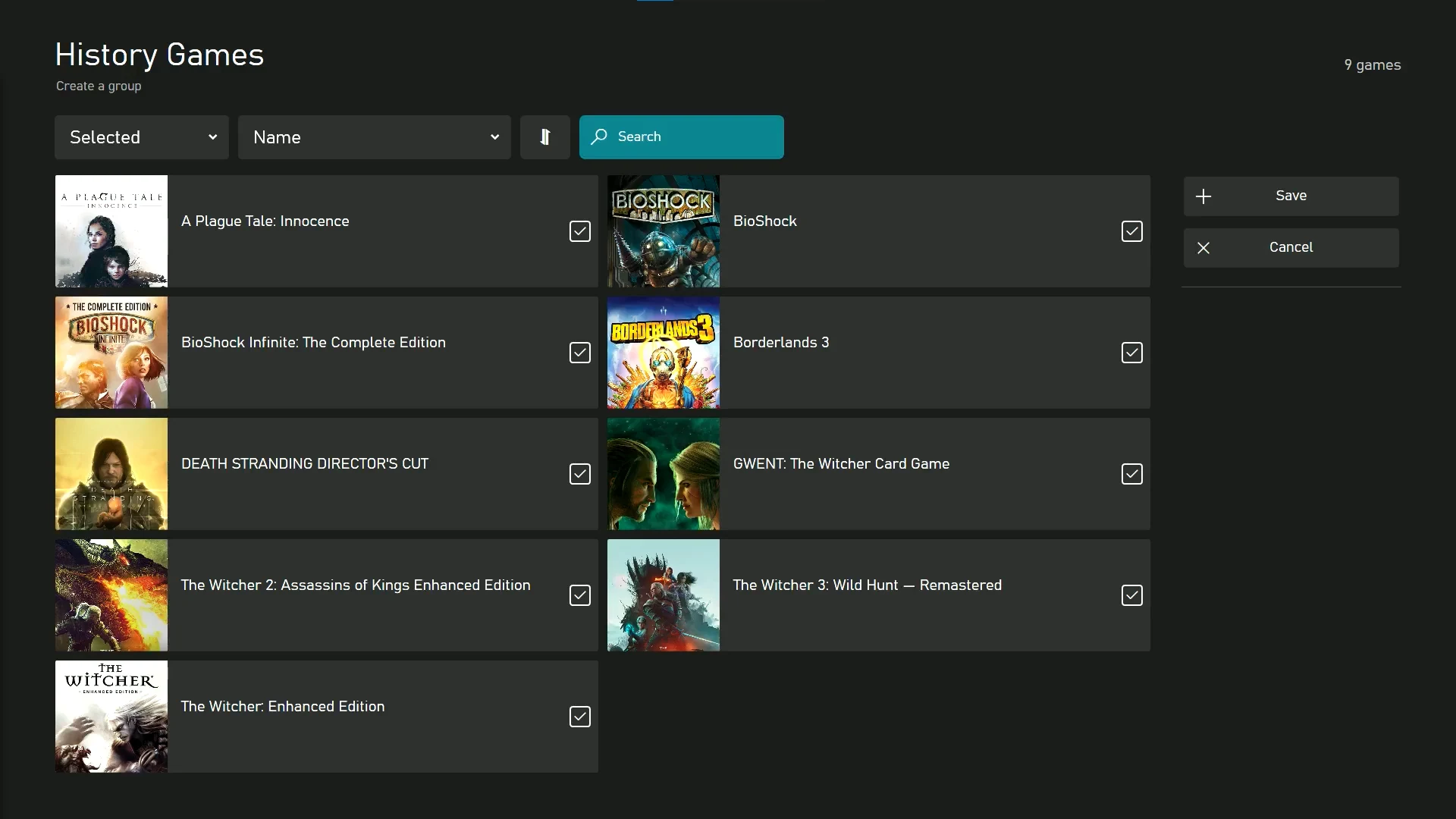
Mark the games you want in the group. Use the selected-items view to review the collection, then choose Save to apply additions and removals. Cancel leaves the saved group unchanged.
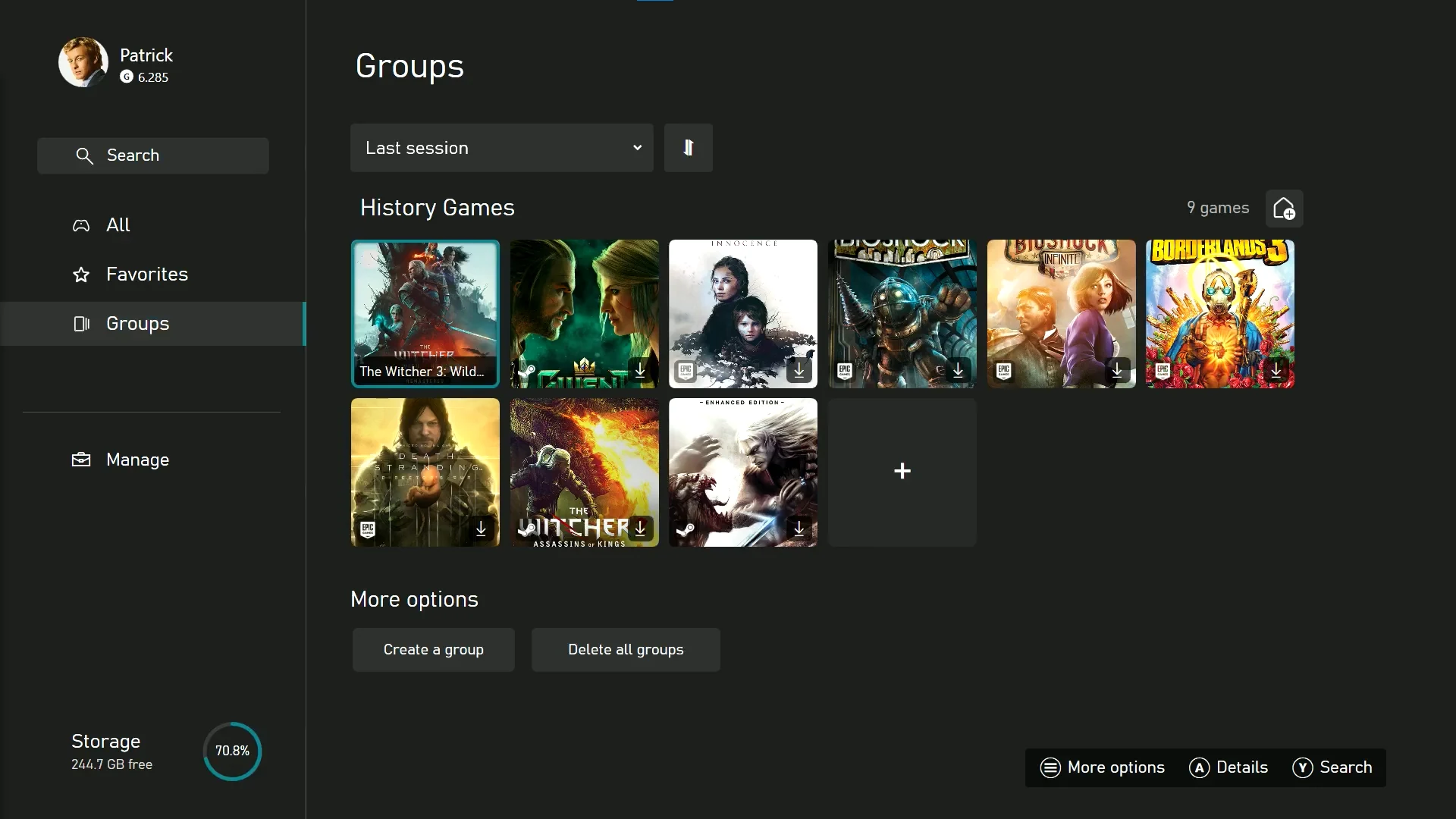
Bring a group to Home
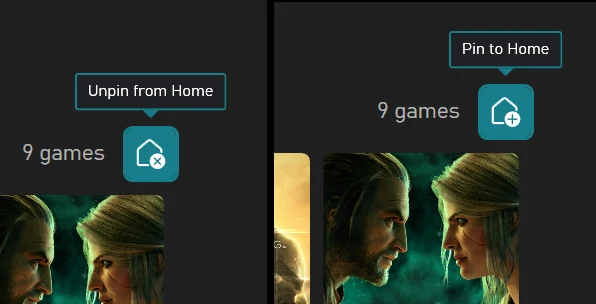
Use the home icon beside the game count to pin or unpin the group. Unpinning only removes its shortcut from Home; the group stays in the library.