
Connect Playnite Achievements
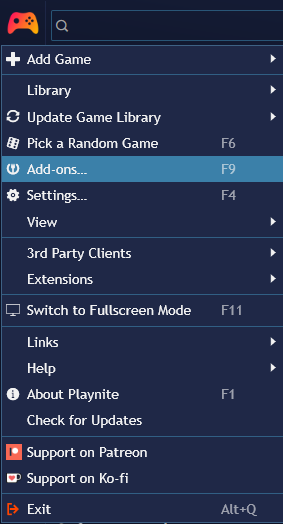

In Desktop mode, open Menu > Add-ons (F9).
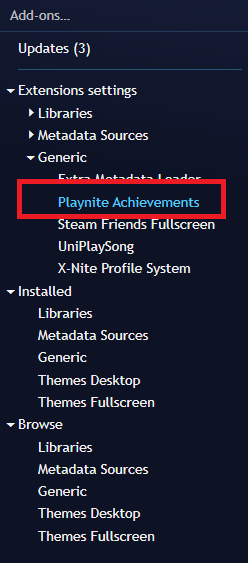
Open Extension settings > Generic > Playnite Achievements.
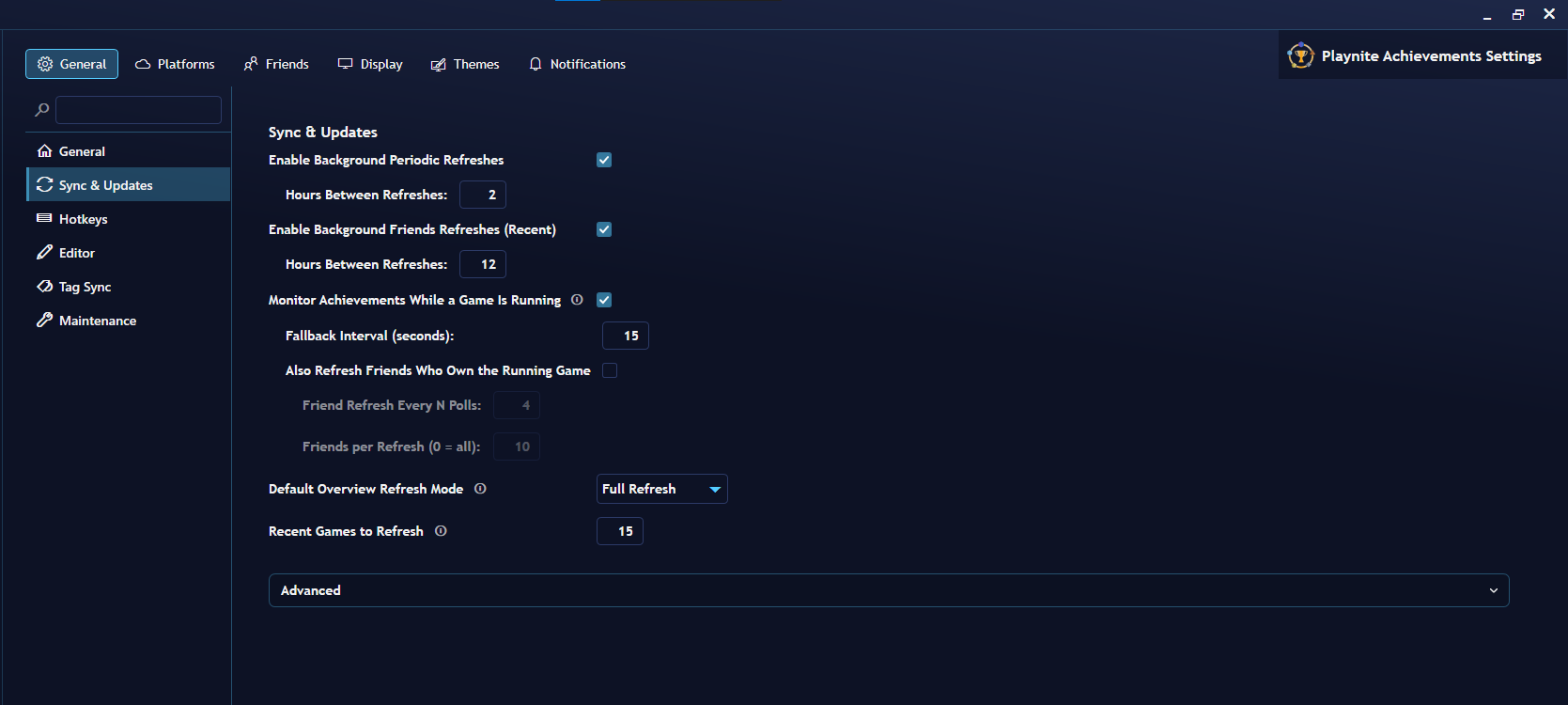
Under General > Sync & Updates, use the recommended settings shown: your refresh every 2 hours, friends’ Recent refresh every 12 hours, and monitoring while a game runs. Playnite Achievements manages these intervals.
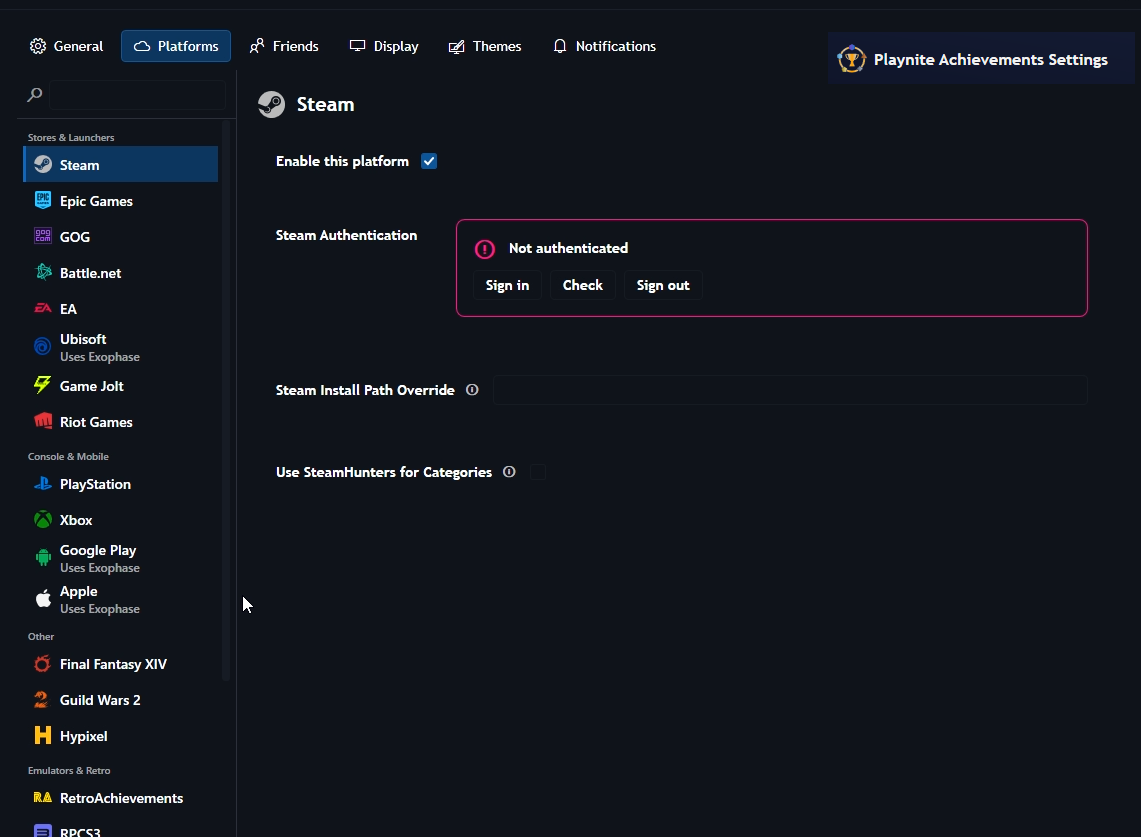
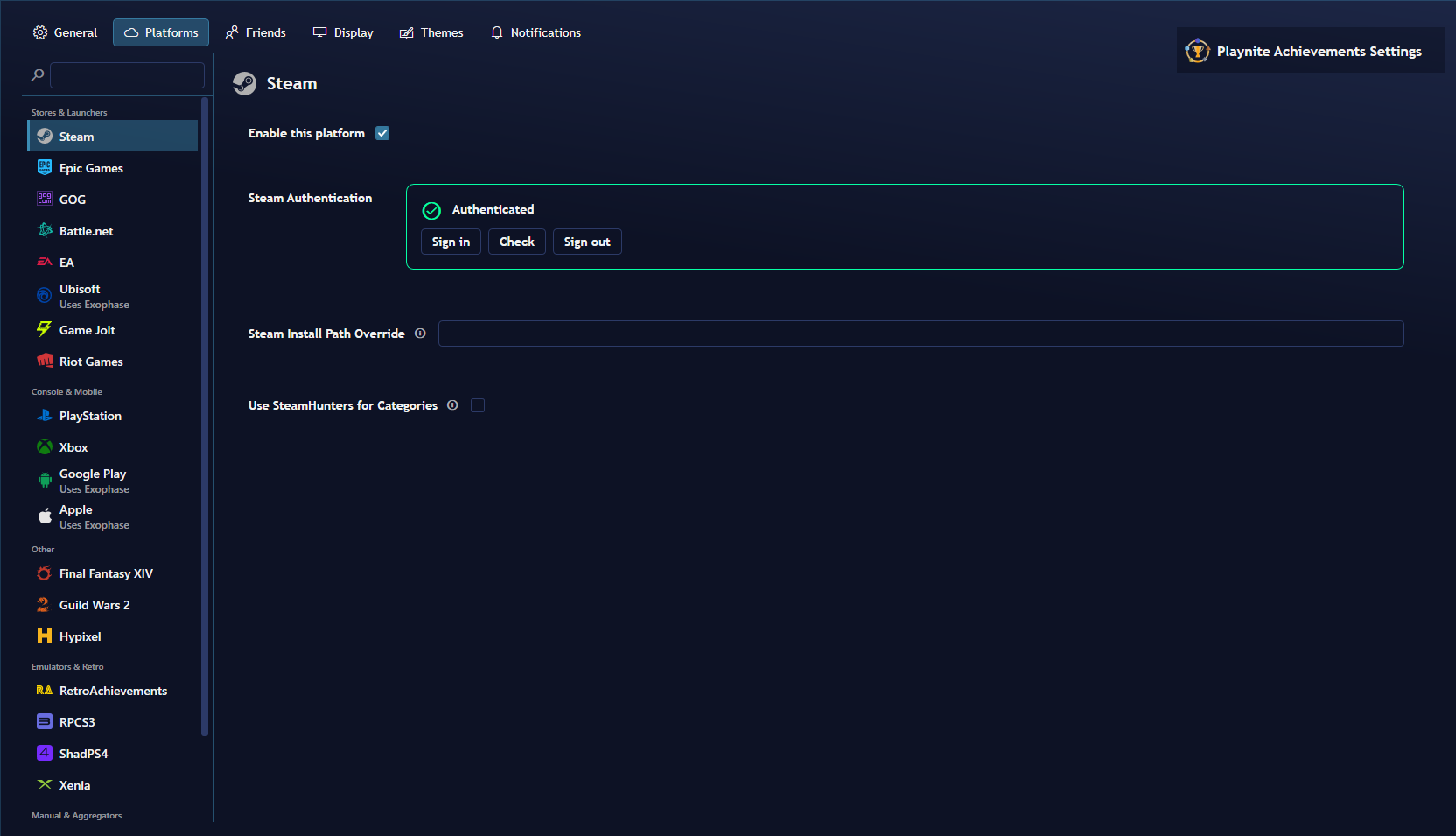
Under Platforms > Steam, select Enable this platform and Sign in. Use the account connected in the Steam client so friends and achievements match. Configure other platforms only if you use them.
Choose Check and confirm Authenticated. Signing in grants account access; it does not finish the initial synchronization.
Under Friends, select Steam and Include unowned games in refresh to include friends’ games you do not own. Use Refresh Friends List, save and complete the initial synchronization in Playnite Achievements. This can take time; Hub online presence is read separately from the Steam client.