Activate X-Nite and finish
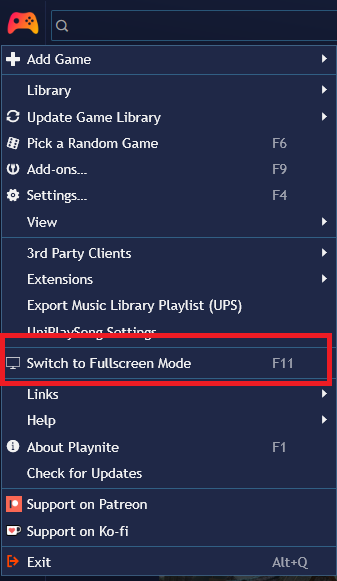
In Desktop mode, use Menu > Switch to Fullscreen Mode or press F11.
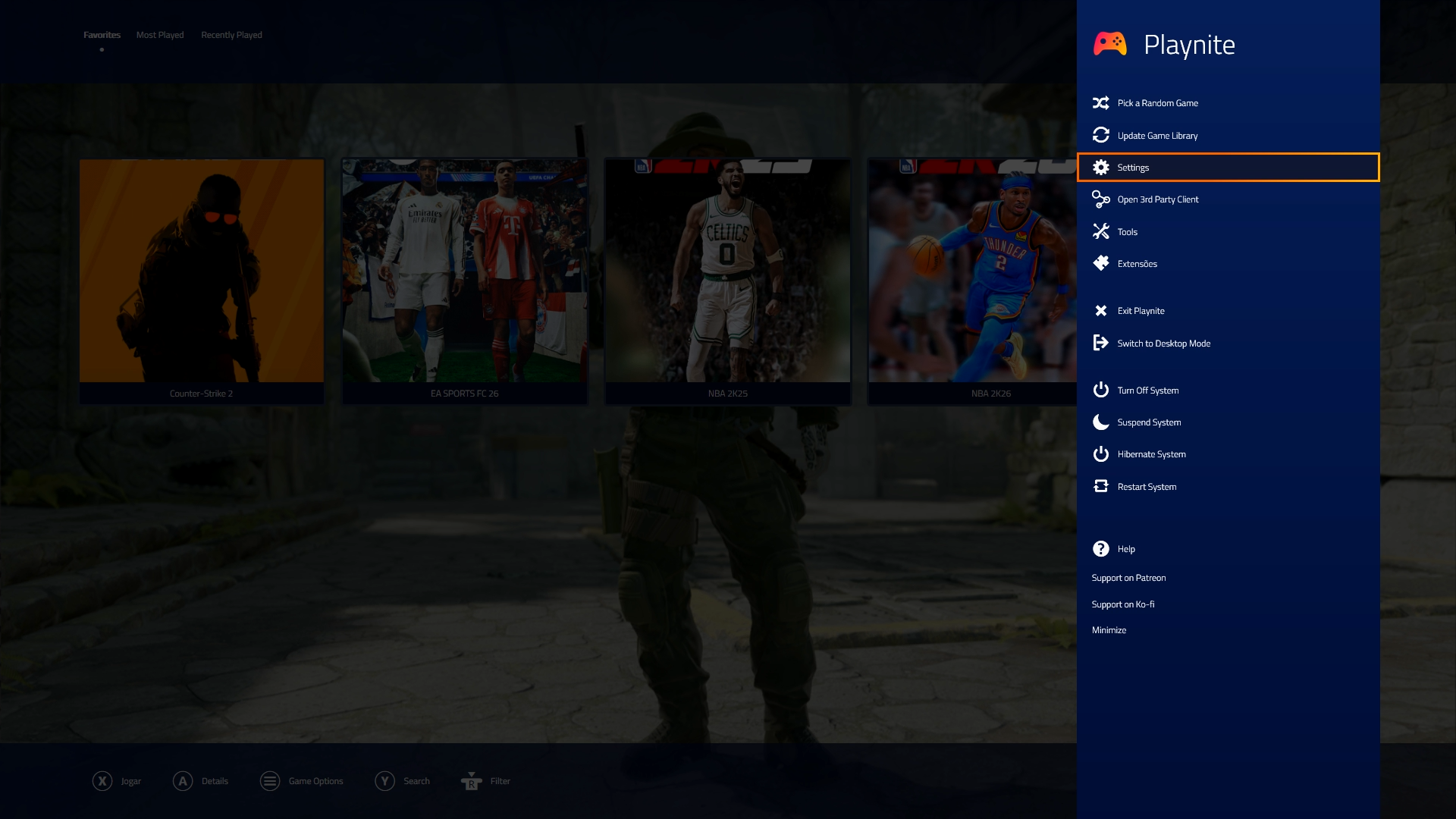
In Playnite’s default Fullscreen interface, open the menu and select Settings.
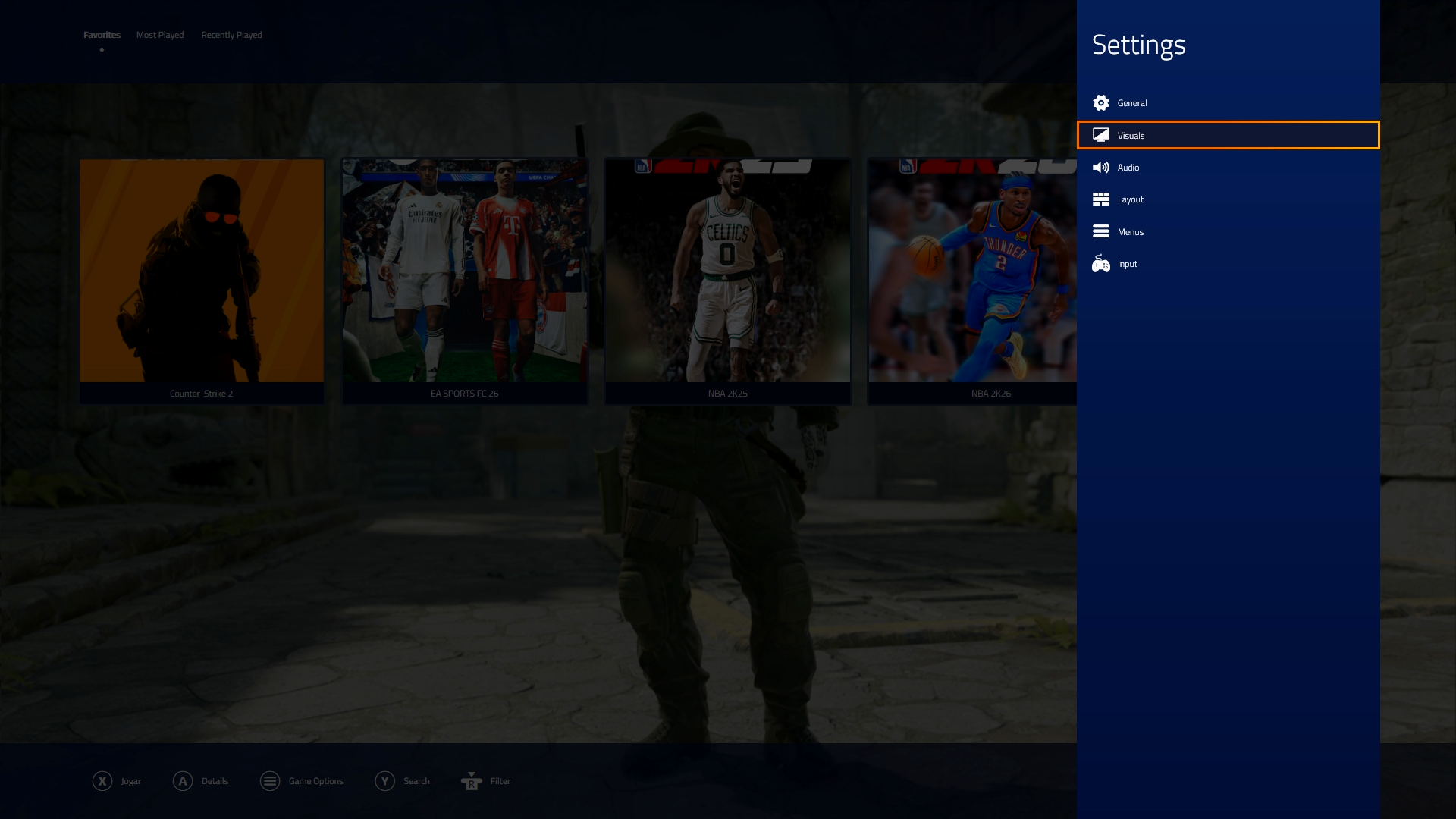
Open Visuals, where you choose the theme used by Fullscreen mode.
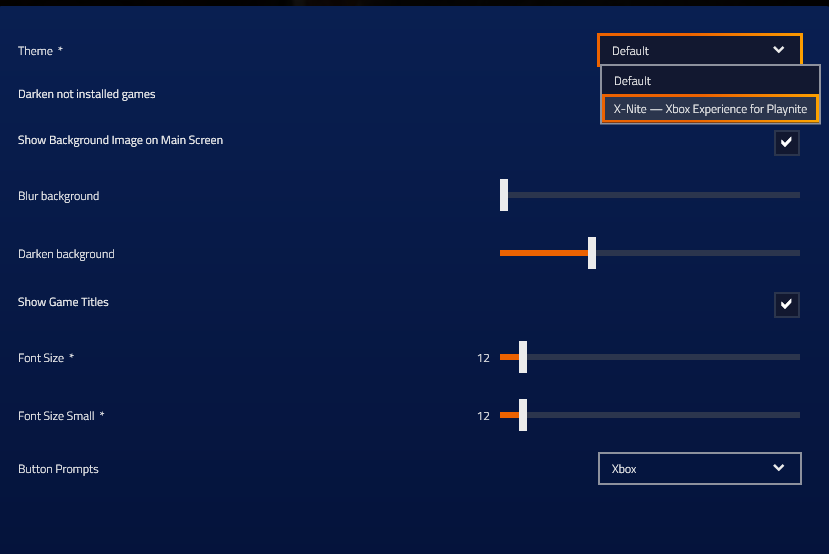
Under Theme, select X-Nite — Xbox Experience for Playnite.
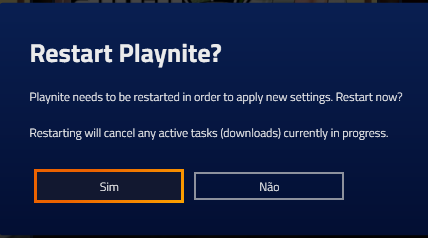
Confirm the restart with Yes to apply the theme. After it reopens, continue to choose the initial language and create your profile.